
How GardenHub works.
Begin with the real garden. Let useful information grow around it.
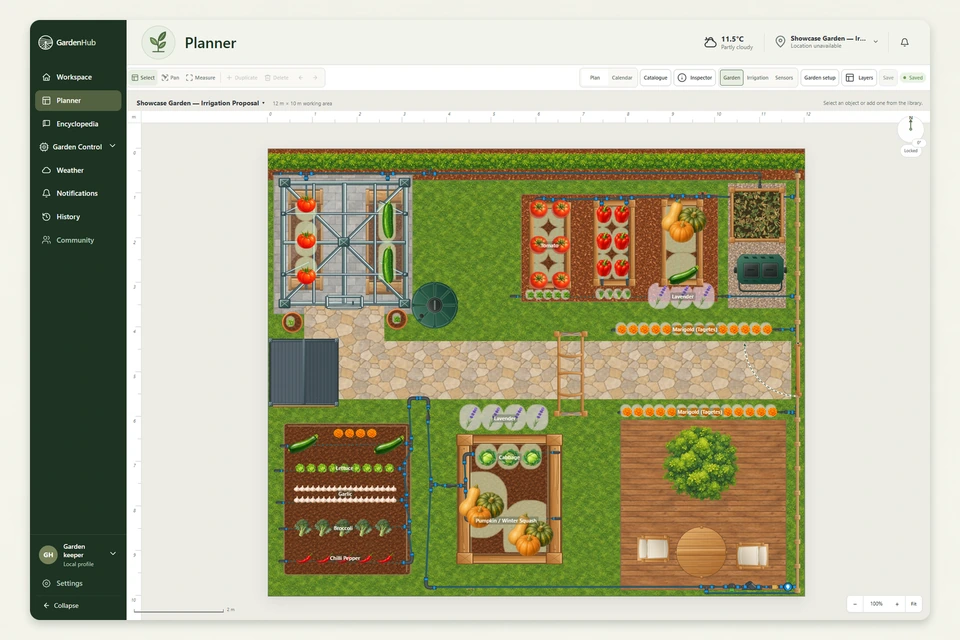
Start with your garden
Create your garden, set its size and orientation, and use the Planner to build the layout. Start simple and add detail whenever you need it.
Build the layout
Place beds, containers, plants, paths, structures, boundaries and garden objects where they belong. Irrigation planning is being developed on top of that same garden plan.
Add what you grow
Plants become part of the garden rather than a separate list. Their Encyclopedia information brings growing guidance alongside the space you are working with.
Add context
Weather and historical conditions add context to what happens outside. Irrigation planning adds the watering layout. Future sensors can add another layer without being required to use the basic product.
Build a garden history
Gardens change throughout the season. Available weather and system history helps you look back at recorded events. More complete watering and connected history will develop with those features.
Grow with GardenHub
You do not need to set everything up on the first day. Expand the garden over time. The longer-term direction connects layout, plants, weather, irrigation and history to provide better context for your decisions.